Keypoint and Landmark Annotation Services

A joint marked two pixels off doesn’t look like much on a single frame. Run it through a pose-estimation model, though, and that small error becomes a wrist that snaps to the wrong angle, a rep counter that miscounts a squat, or a driver-monitoring system that misses a head-drop it should have caught. Keypoint and landmark annotation is the layer of ground truth that teaches a model where a body, face, hand, or object actually articulates and getting each point right, consistently, across thousands of frames, is what separates a model that understands motion from one that only sees pixels.

What is Keypoint and Landmark Annotation Services?

Keypoint and landmark annotation is the process of marking specific, meaningful points on an object, a joint, a facial feature, a corner, an anatomical landmark so a model can learn its structure, pose, or orientation rather than just its presence.

Where bounding boxes tell a model that something is there, and segmentation masks tell it what shape that something is, keypoints tell it how the object is arranged. A single point marks a wrist, an eye corner, or a vehicle’s headlight; a set of connected points, a skeleton captures the full structure, such as the relationship between a shoulder, elbow, and wrist, or the 68 points that trace a face from jawline to brow.

This is what makes keypoint annotation the foundation for any task involving motion, pose, or fine structural detail. A bounding box can’t tell a system whether a person is standing, falling, or reaching. A segmentation mask can’t tell it which way a hand is rotated. Keypoints can, because they encode the actual geometry of the object, point by point, frame by frame. That precision is also what makes the annotation task itself demanding: points have to be placed consistently across thousands of images, correctly estimated even when partially occluded, and connected into the right skeletal structure every time.

Types of Computer Vision Annotation

Image Annotation

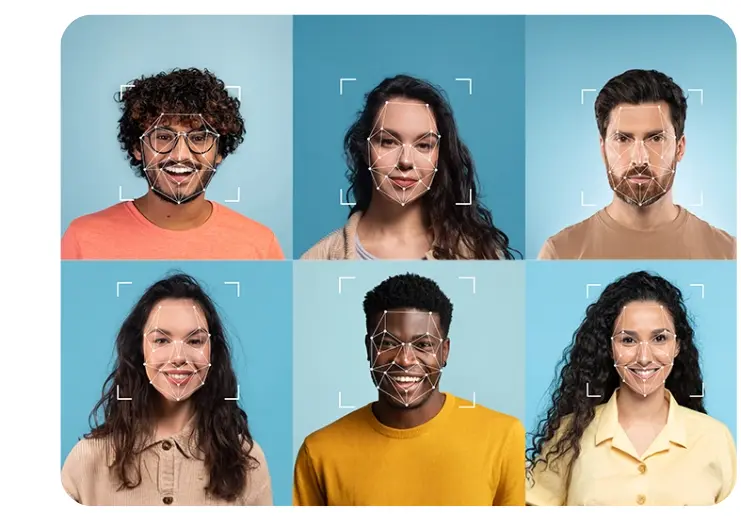
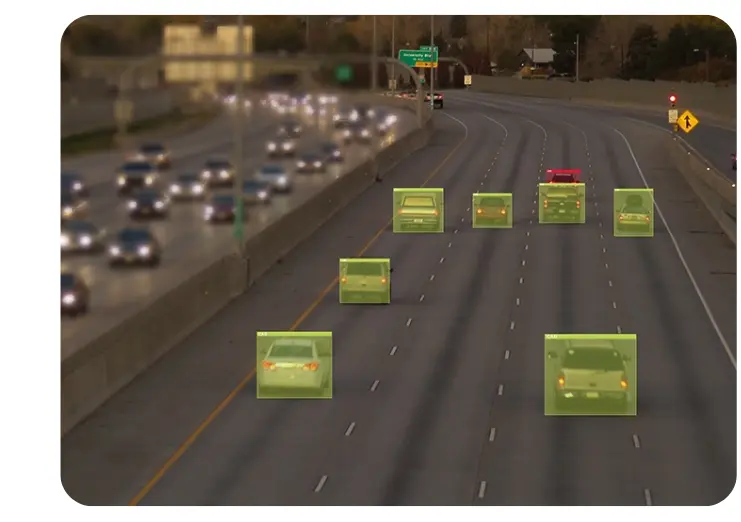
Image annotation includes bounding boxes, polygons, segmentation, and keypoints to label objects, faces, and features within images. It’s critical for training AI in object detection, facial recognition, and visual understanding. These annotations help computer vision systems in autonomous vehicles, retail, healthcare, and robotics interpret real-world imagery accurately. Read More
Image Annotation

Video Annotation

Video annotation involves frame-by-frame tracking and temporal labeling of people, objects, and actions. It enables behavior analysis for surveillance, autonomous driving, and sports analytics. Accurate annotations ensure that computer vision models understand motion, direction, and events over time—making video a valuable input source for real-time decision-making systems. Read More
Video Annotation

Text Annotation

Text annotation includes named entity recognition (NER), sentiment tagging, and intent classification. It supports NLP applications like chatbots, document parsing, and fraud detection. Annotated text helps language models extract meaning, understand user context, and respond accurately, enabling smarter automation in customer support, finance, and regulatory compliance systems.
Text Annotation

Audio Annotation

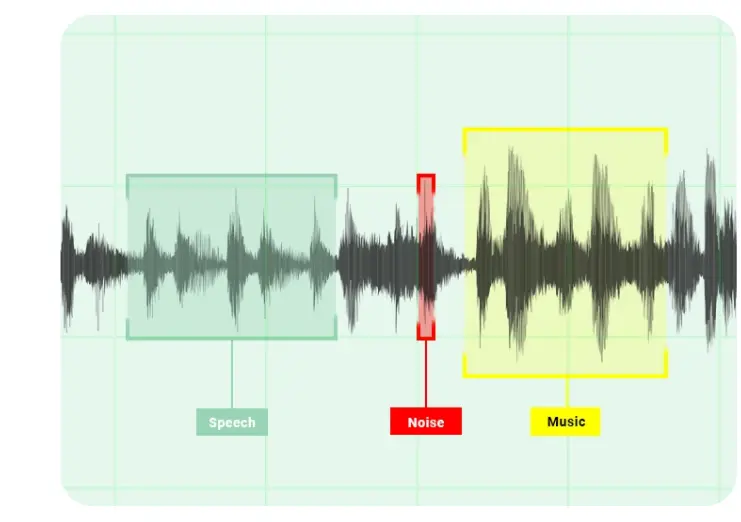
Audio annotation tags spoken language with speaker identification, transcription, and intonation marking. It helps train voice assistants, call center AI, and language recognition tools. Annotators distinguish between speakers, mark pitch or emotion changes, and convert audio to text—enhancing performance in multilingual, real-time, or emotionally sensitive voice applications.
Audio Annotation

3D / LiDAR Annotation
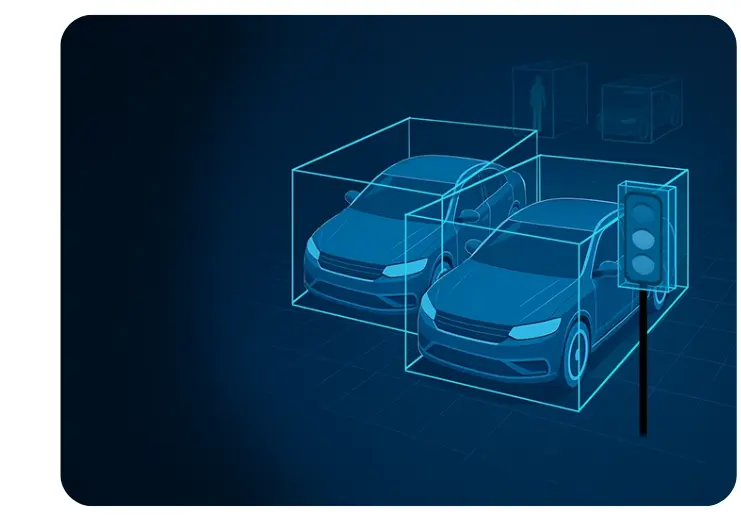
3D or LiDAR annotation applies cuboids, semantic segmentation, and depth mapping to point cloud data. It is essential for autonomous vehicles, robotics, and HD mapping. Annotators label objects in three-dimensional space to help AI understand object size, distance, and position—crucial for safe, spatially aware navigation.
3D / LiDAR Annotation

Synthetic Data QA
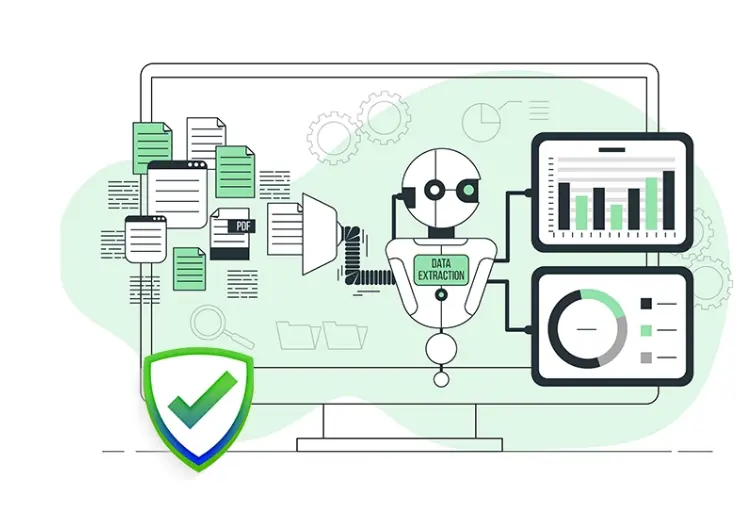
Synthetic data QA ensures that artificially generated data meets quality and realism standards. Human annotators validate edge cases, simulation scenarios, and synthetic annotations for consistency, diversity, and context. This process improves model robustness by exposing it to rare or complex events, making it ready for real-world deployment.
Synthetic Data QA

Types of Keypoint and Landmark Annotation

Marks fixed points around the eyes, brows, nose, mouth, and jawline typically using standardized schemes such as 5-point, 68-point, or denser 100+ point models. Used for face alignment, expression analysis, and biometric verification.

Labels major joints like shoulders, elbows, wrists, hips, knees, ankles and connects them into a skeleton, commonly following conventions like the 17-point COCO format. This is the backbone of human pose estimation, action recognition, and motion analysis.

Marks the wrist plus multiple joints per finger (commonly 21 points per hand) to capture fine-grained hand pose, essential for gesture recognition, sign-language recognition, and AR/VR hand tracking.

Applies the same joint-and-skeleton logic to animal anatomy, adapted to species-specific structures, for wildlife research, livestock monitoring, and veterinary motion analysis.

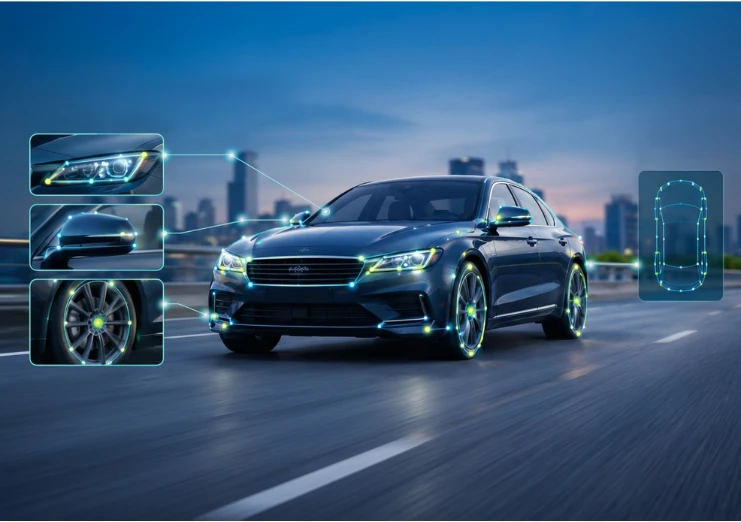
Marks structurally meaningful points on rigid objects like a vehicle’s wheels, mirrors, and headlights, for example to support 3D pose and orientation estimation rather than pose in the human/animal sense.

Connects individual keypoints into a defined graph reflecting the true structural relationships between them (a wrist only connects to an elbow, not directly to a shoulder), giving the model a constraint-aware understanding of how points can move relative to each other.

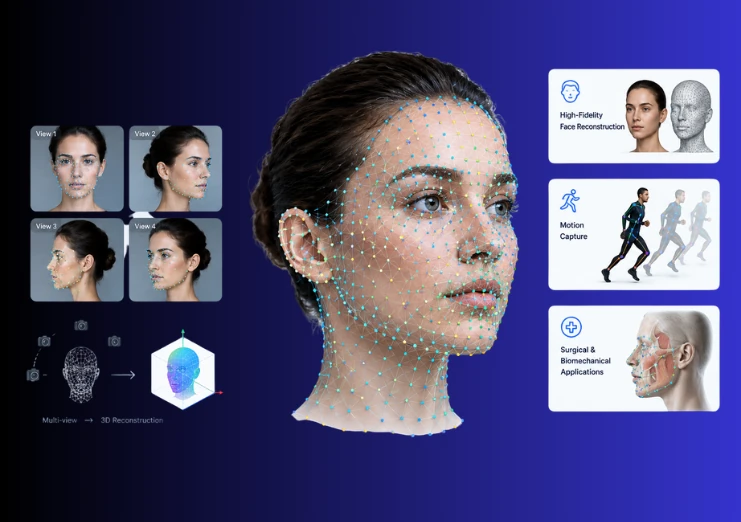
Extends beyond a fixed sparse set of points to dozens or hundreds of landmarks, sometimes reconstructed across multiple camera views into 3D space used for high-fidelity face reconstruction, motion capture, and surgical or biomechanical applications where flat 2D points aren’t precise enough.

Applications and Use Cases

Sports and fitness analytics

Tracking joint angles and movement patterns to analyze athletic technique, count repetitions, and flag form errors in real time or from recorded footage.

Healthcare and rehabilitation

Measuring gait, joint range of motion, and posture for physical therapy progress tracking, fall-risk assessment, and movement-disorder analysis.

Automotive driver monitoring

Tracking head pose, eye state, and facial landmarks to detect drowsiness, distraction, or attention loss in driver-monitoring and ADAS systems.

AR/VR and gesture interfaces

Using hand and body keypoints to power gesture-based controls, virtual try-on, avatar animation, and immersive AR filters that need to track a face or hand in real time.

Robotics and industrial automation

Estimating the pose and orientation of objects or human operators so robotic systems can coordinate safely and precisely with people or parts on a line.

Security and behavior analytics
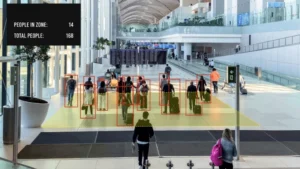
Analyzing body pose and movement patterns from surveillance footage to detect falls, unusual behavior, or crowd dynamics.

Autonomous vehicles
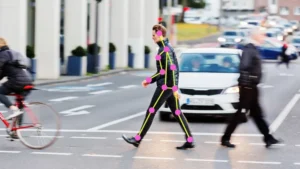
Estimating pedestrian body pose and orientation to predict intent whether someone is about to step into the road well before a simple bounding box would signal risk.

Animation, film, and motion capture

Converting tracked keypoints into skeletal rigs for character animation, visual effects, and performance capture without physical motion-capture suits.

Biometrics and identity verification

Using facial landmarks for face alignment and liveness checks that underpin secure identity verification and access-control systems.


Successful client stories and case studies

Deep dive into our journey of partnering with the global business giants.

Computer Vision

Computer Vision

project to identify phishing threats

3 mins read

Learn More
Computer Vision

Facial Annotation

features using object detection and classification

3 mins read

Learn More
Computer Vision

Training Datasets

for machine learning algorithms

3 mins read

Learn More

Why partner with us

Our services are tailored to elevate the efficiency of your AI/ML processes
Managed Services l Captive Services l Staffing Services

5,000+

Skilled
Employees

1B+

Data
Transactions

40+

Live Projects

10+

Fortune 500
Clients

85

NPS Score

Testified and trusted by
the best in the world of business

I am really happy at all the great things we have been able to achieve in the past 1 year. The relationship now has a solid foundation, and I am sure NextWealth will continue to be a formidable partner going ahead, bringing a delightful experience for our customers.

Sr. Program Manager Fortune 10 Technology Company

NextWealth has been an invaluable partner to us, significantly accelerating our growth by handling critical data operations and providing strategic insights.

Founder India’s Largest Market and Competitor Intelligence Company

NextWealth’s hard work and dedication are truly making a difference, streamlining our processes significantly. We really appreciate it!

Principal AI & Machine Learning Scientist Global Leader in Threat Detection and Security Screening

My experience with NextWealth has been wonderful. The diligent team consistently delivers on time with a focus on quality. Their innovation-driven mindset fosters a win-win situation for both teams.

eCommerce Strategy Manager Europe’s Leading Fashion and Lifestyle Platform

I am happy with the improvement in the performance. I have seen positive improvement, and we have a long way to go.

Staff Technical Operations Manager Fortune 10 American Retail MNC

NextWealth’s in-depth analysis helped us pinpoint exactly what needs to be done to address the issues.

Specialist Quality Services, Fortune 10 Technology Company

With excellence in Quality, Cost, and TAT—key pillars of any operation—NextWealth sets a benchmark for operational efficiency and beyond.

Associate Director Indian Equity Research Company

We have experienced significant growth—a success we could not have achieved without the expert support, hard work, and commitment of NextWealth.

CEO Leading Marketing Agency

Explore Resources

Know how we are accelerating business growth by enabling effectiveness in AI/ML

Data Annotation and Labelling – How HITL Enhances Accuracy in AI Model Development

How Many Data Annotators Do You Actually Need? A Benchmark of 20M+ Monthly Annotations Across LiDAR, Video & Geospatial Projects

3 mins read

Natural Language Processing

The True Cost of Model Rework

3 mins read

Latest Update

Data Annotation and Labelling – How HITL Enhances Accuracy in AI Model Development

Data Annotation Accuracy Benchmarks 2026: 95–100% Quality Rates Across Computer Vision, Trust & Safety, and Generative AI

3 mins read

FAQs

What is the difference between a keypoint and a landmark?

The terms are largely used interchangeably in computer vision both refer to a specific, meaningful point marked on an object, such as a joint or facial feature. “Landmark” is more commonly used for facial or anatomical points, while “keypoint” is the broader term used across pose estimation, object structure, and skeleton annotation.

What is skeleton annotation?

Skeleton annotation connects individual keypoints into a defined structure that reflects real anatomical or physical relationships for example, linking wrist, elbow, and shoulder points in the correct order so a model learns valid joint connections and movement constraints, not just isolated points.

What are the most common keypoint annotation standards?

The 17-point COCO format is a widely used standard for human body pose estimation, 21-point schemes are common for hand keypoints, and facial landmarks typically follow 5-point, 68-point, or denser standards depending on the precision required.

Why is keypoint annotation more difficult than bounding-box or segmentation annotation?

Keypoints require precise placement of individual points, often on small or partially occluded features, and those points must be connected into the correct skeletal structure a task that demands more annotator training and tighter QA than marking a general object region.

How is occlusion handled in keypoint annotation?

Occluded keypoints are typically marked with a visibility flag (visible, occluded, or not labeled) rather than omitted entirely, so models learn to estimate probable joint position even when a point isn’t directly visible in the frame.

What formats are keypoint and landmark annotations delivered in?

Common formats include COCO-style keypoint JSON, custom skeleton JSON structures, and dense landmark coordinate sets, chosen based on the model architecture and downstream pose-estimation framework in use.

Can keypoint annotation be used for video, not just still images?

Yes. Video keypoint annotation tracks the same points across consecutive frames, maintaining identity and structural consistency through motion, which is essential for action recognition, motion capture, and movement analysis tasks.

What makes a keypoint dataset high quality?

Consistent point placement across annotators, correct skeletal connections, accurate visibility/occlusion flags, and uniform handling of ambiguous poses like inconsistency in any of these directly reduces the accuracy of the pose or landmark model trained on it.

Subscribe To Our Newsletter

Join our mailing list to receive the latest news and updates from our team.

2026 Enterprise AI Report

The Enterprise AI Buyer's Checklist

  • ✓ Security & compliance certifications to require
  • ✓ Quality control & SLA benchmarks to demand
  • ✓ A 25-point scorecard to rate any vendor

Evaluating HITL vendors?

Score your AI data partner before you sign.

A free 3-part checklist covering data security, quality control, and SLA terms — everything you need to score a prospective AI data partner.

[contact-form-7 id="ac83726" title="Enterprise AI Checklist Lead"]

You have Successfully Subscribed!